
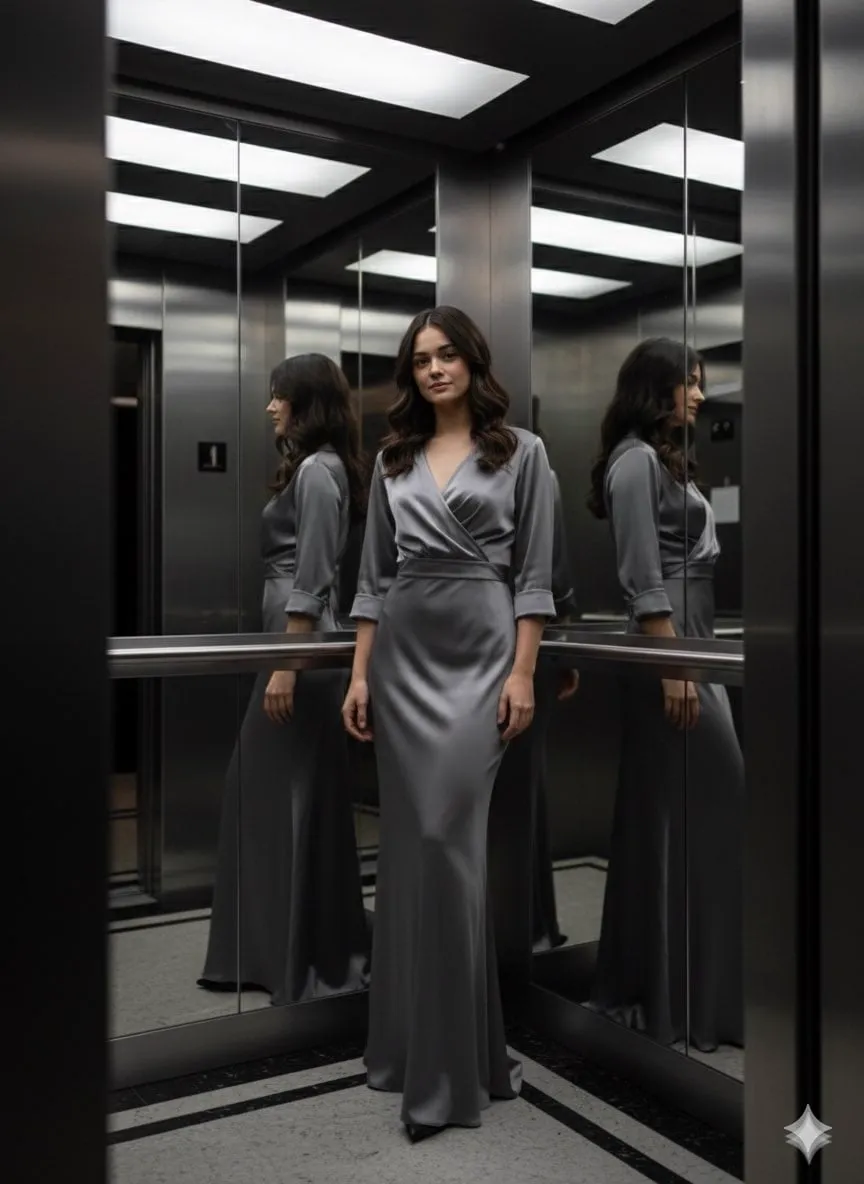

Why Character Consistency Is the Biggest Problem in AI Video
Generative AI can produce individual frames that look stunning, but the moment you need the same character in two different shots, the illusion starts to crack. The face shifts, the costume changes, the proportions wobble. Every fan of AI-generated content has seen the version of this failure where a hero looks like a different person in every scene of a three-minute film.
This is not a minor technical annoyance. It is the single biggest barrier between AI video and professional storytelling. Narrative media depend on the audience believing that the person on screen is the same person from scene to scene. When that belief breaks, the story breaks with it. The solution that has emerged across the industry is multi-image fusion: feeding a model a set of reference images that define a character's visual identity, so that identity carries across scenes, styles, and even different generation models.
This article is a practical guide to that technique. You will learn how to build a character reference set, how to anchor a character in your workflow, how to keep style consistent across model changes, and how to avoid the most common failure modes.
How Multi-Image Fusion Actually Works
Multi-image fusion is not the same as giving the model a single photo and asking it to copy the face. It is a preprocessing and fusion process that extracts a character's visual signature from multiple reference images, then injects that signature into the generation.
The signature includes more than the face. It captures body proportions, clothing textures, accessories, hair style, and even how the character reacts to lighting conditions. A good fusion system separates this identity information from the scene information, so that when you ask for "the same character in a rainy street at night," the model changes the scene without changing the person.
In practical terms, this means your reference set should not be one perfect image; it should be a small portfolio. Different angles, different outfits, different lighting conditions, and different expressions. The model uses the set to understand which features are stable identity and which are variable appearance. If you give it only a single front-facing studio portrait, it may lock the studio lighting into the character's identity and struggle in other environments.
Building an Anchor Set: The Foundation of Consistency
The quality of your character's consistency is decided before you generate a single video frame, when you build the anchor set. The process has three stages.
First, decide the character's design with precision. Write down the defining features: hair color and cut, eye shape and color, build, skin tone, signature clothing, and any accessories that must never change. This written spec becomes the reference for everything you generate, including your reference images themselves.
Second, generate or collect five to ten images that cover the design. Aim for variety in angle (front, profile, three-quarter), in expression (neutral, smiling, serious), in outfit (base outfit, alternate outfits), and in lighting (daylight, indoor, dramatic). If you are generating these images with AI, use a consistent prompt core for the identity and vary only the scene and pose elements.
Third, validate the anchor set before production. Run a test battery: generate the character in ten very different prompts and check whether the identity holds. If the character drifts in testing, the set needs work. Add images that cover the specific failure: if the character drifts when smiling, add a smiling reference; if the lighting changes the identity, add a reference in that lighting.
A Step-by-Step Character Anchoring Workflow
Once your anchor set is validated, the production workflow looks like this.
Step 1: Lock the character spec. The written description, the anchor images, and the list of immutable features go into a single document. Everyone on the team works from this document.
Step 2: Generate keyframes with the anchor set. For each scene, start by generating a keyframe image using the reference images. This is where the character's look for that scene is decided. Iterate on the keyframe until the composition, expression, and lighting are right, because every downstream frame inherits its identity from this image.
Step 3: Animate with image-to-video. Feed the approved keyframe to a video model and animate the motion. Keep the motion prompt focused on movement and camera, not appearance. The appearance is already locked in the keyframe.
Step 4: Check the sequence, not the frame. After generating a few shots, review them side by side as a sequence. Look for drift in identity, costume, and proportions across shots. It is much cheaper to catch drift early than to regenerate a full scene.
Step 5: Keep a versioned character sheet. When you refine the character design, save the new anchor set as a new version. Keep the old versions around, because footage generated against the old version will not match the new one.
Keeping Style Consistent Across Different Models
One of the most useful capabilities of multi-image fusion is that it can carry a character across different generation models. This matters in real production, because different models have different strengths: one may be best for realistic motion, another for a specific art style, a third for fast drafts.
The anchor set is the bridge. Because the identity is captured in the reference images rather than in a single model's weights, you can feed the same anchor set to different models and get the same character, adapted to each model's rendering style.
There are two practical caveats. First, models interpret reference sets with different degrees of fidelity. Validate the character in each new model before committing a large batch of shots to it. Second, the style layer and the identity layer are not always cleanly separated. A model may fuse your character's identity with the style of your reference images, so if your references have a strong stylistic look, every model you use will tend to reproduce that look. That is usually desirable for consistency, but it limits how much you can change the visual style between projects.
Using Consistency in Long-Form and Series Work
Consistency becomes exponentially more important as projects get longer. A single shot can survive minor drift; a ten-minute film or a ten-episode series cannot. This is where disciplined anchor-set management pays off.
For long-form work, plan the anchor set at the storyboard stage. Decide the character's complete wardrobe arc, aging or injury changes, and any scene-specific looks before production starts. Every scene's keyframes are then generated against the version of the anchor set that matches that part of the story.
Scene transitions deserve special attention. When a character moves between dramatically different environments, the model may struggle to hold identity while changing everything else. The technique that works is to generate an intermediate frame: the character in the old environment, then the character in a neutral environment, then the character in the new environment. This gives the model a path to follow instead of a jarring jump.
Common Failure Modes and Fixes
Even with a good anchor set, things go wrong. Here are the most common failures and their fixes.
The character drifts in facial close-ups. Close-ups put the face under maximum scrutiny. Fix: add high-detail facial reference images to the anchor set, and generate close-up keyframes at maximum resolution.
The character changes with outfit changes. If a new outfit causes identity drift, the model may be over-weighting the clothing in the reference set. Fix: generate references of the character in that specific outfit before generating the scene, so the outfit and identity are learned together.
The character looks right but the style drifts between models. When switching models mid-project, expect some style shift. Fix: use a style reference image alongside the character references, and re-validate with a short test batch in the new model.
The anchor set works for one character but not for groups. Multi-character scenes multiply the difficulty. Fix: build a separate anchor set for each recurring character, and generate group keyframes incrementally, adding one character at a time until the composition is stable.
Consistency works in stills but breaks in motion. Motion can distort identity, especially faces and hands. Fix: keep motion prompts modest, generate shorter clips, and cut around frames where the model struggles rather than trying to fix them in post.
Tools and Model Choices for Fusion Work
The practical tooling for multi-image fusion varies by platform, but the capabilities are converging. Look for these features when choosing your tools:
- Reference image support with multiple images, not just a single character photo.
- Keyframe control, so you can pin the start, middle, and end of a shot.
- Image-to-video, so your locked keyframes become the source of motion.
- Seed control or versioning, so you can reproduce and iterate on successful generations.
The current generation of leading models supports most of these features, and the choice between them is less important than the discipline of the workflow. A mediocre tool used with a validated anchor set will beat a great tool used without one.
Consistency for Different Content Types
The discipline of character consistency pays off differently across content types, and it is worth planning for the specific format you are producing.
For social series and episodic content, consistency is a loyalty engine. Audiences who follow a character across episodes develop an emotional attachment, but only if the character remains recognizable. The anchor set becomes a living asset: update it as the character evolves, but keep a changelog so older episodes remain consistent with the version of the character they were made against.
For commercial and product work, consistency is a trust signal. A product that changes shape, color, or packaging between shots reads as sloppy, even if the viewer cannot articulate why. Apply the same anchor-set discipline to products and mascots: build a reference set from studio shots, in-context shots, and detail close-ups, and use it for every asset in the campaign.
For long-form film and animation, consistency is structural. The reference set should be designed at the storyboard stage, with wardrobe arcs, lighting conditions, and character states planned in advance. This is also where versioned reference sets earn their keep: when the protagonist changes appearance mid-story, you need both versions available for scenes on either side of the change.
FAQ
How many reference images do I need for a character?
Five to ten well-chosen images is the practical range. Fewer than five risks under-defining the identity; more than ten adds noise and can confuse the model with contradictory details. Quality and coverage matter more than count: cover angles, expressions, outfits, and lighting.
Can I use one reference set for multiple characters?
You can, but the model may blend their identities. If characters share a scene, give each character its own set, and generate group keyframes incrementally, adding one character at a time. Keep the sets visually distinct so the model has clear boundaries.
Why does my character drift more in motion than in stills?
Motion introduces temporary distortion, especially in faces and hands. The model has to maintain identity while deforming geometry, which is the hardest combination. Keep motion prompts modest, generate shorter clips, and cut around the frames where distortion appears. If a specific action keeps breaking the face, split it into simpler motions.
Does multi-image fusion work with any video model?
Most current models support reference-based generation in some form, but fidelity varies. Validate your anchor set with a small test batch in each model you plan to use, and adjust the set if the model interprets it differently. The same set may need slightly different reference selection for different models.
What if my character needs to change appearance mid-story?
That is normal, and it is why versioned anchor sets matter. Build a second set for the changed appearance, generate scenes against the matching version, and keep the transition scene working with both sets so the change reads as intentional.
Is it worth generating my references with AI instead of commissioning them?
For most projects, yes. AI-generated references are cheap to iterate on, which lets you explore the character design before committing. Commissioned art still wins for very distinctive designs or brand-licensed characters, but AI-generated anchors are the fastest path to a workable set.
Conclusion
Character consistency is the difference between AI video that looks like a tech demo and AI video that works as storytelling. Multi-image fusion is the technique that makes it achievable, and like most production techniques, its power comes from process rather than from any single tool. Build a precise character spec, create a varied anchor set, validate before production, lock keyframes before animating, and check sequences rather than frames. Do those five things consistently, and the characters you generate will stop changing between scenes, which means your audience can finally stop noticing the technology and start following the story.
