
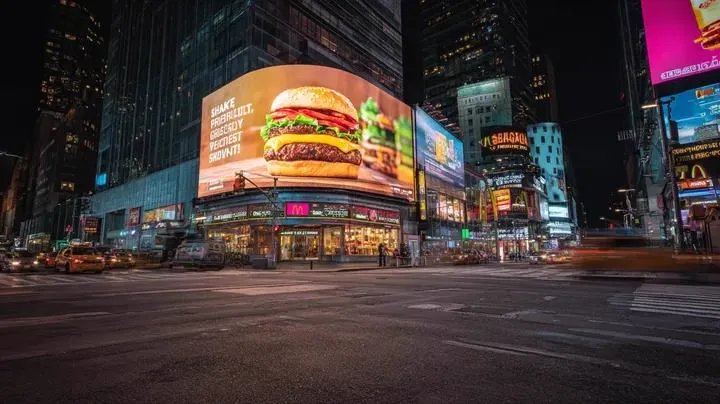
The ability to turn a written description into moving video is one of the most striking breakthroughs in modern technology. A few years ago, the idea of typing a sentence and receiving a realistic clip in response sounded like science fiction. By mid-2025 it has become an everyday tool for content creators, marketers, and businesses of every size. Text-to-video generation has moved from a curiosity to the centre of AI-driven creativity, and it has democratised video production in a way that benefits everyone from small businesses to independent filmmakers.
This guide explains how text-to-video generators actually work, what to look for when comparing them, and how to build an efficient workflow around them. We will cover the technical foundations, the importance of model variety, precision and cost efficiency, how to keep visual style consistent, and how to choose between premium and budget tools. Whether you are entirely new to this technology or looking to level up an existing process, you will find practical, actionable advice here.
What text-to-video generation is and why it matters
Text-to-video generation is the process of creating video clips directly from a written prompt. You describe what you want, a model interprets your description, and it produces a visual sequence that matches your intent. This may sound simple, but behind it lies an extraordinary amount of technology: models trained on enormous datasets of video and text, neural networks that understand both language and visual structure, and complex systems that translate instructions into moving frames.
Its importance has grown dramatically because it democratises content creation. In the past, high-quality video was reserved for professionals with cameras, studios, and budgets. Now, anyone with an idea can generate a well-structured clip in minutes. Small businesses can produce adverts without expensive shoots; marketers can prototype campaigns quickly; and individual creators can explore visual ideas that previously required a production team. The result is that video production has become more accessible, more iterative, and far faster.
That accessibility, however, comes with a responsibility to understand how the tools work. Knowing what a generator can and cannot do, and how to guide it toward your goals, is what separates a user who gets predictable, usable results from one who is perpetually disappointed. The rest of this article is about building exactly that understanding.
The technical foundations: turning text into frames
At the heart of text-to-video lies a process that takes a written prompt and transforms it into a sequence of frames. Modern systems are built on transformer-based neural networks, an architecture that excels at understanding patterns in language and, crucially, in sequences of visual data. These models are trained on enormous collections of video clips paired with descriptive text, learning the subtle relationships between words and motion.
When you enter a prompt, the model first parses your language to understand the subject, the setting, the action, and the mood. It then synthesises a plausible scene, generating frames frame by frame while maintaining coherence between them. The most advanced models go further, respecting physical behaviour, lighting, and camera motion, producing results that feel surprisingly natural and cinematic.
This technical complexity explains why results can vary so much between tools. The size of the training dataset, the model's architecture, and the care taken in training all influence how well the system handles complex prompts, fast motion, or stylised aesthetics. Understanding this helps you set realistic expectations and choose tools suited to your specific needs rather than assuming one model does everything well.
Model variety: why you need choices, not one "best" engine
One of the biggest misconceptions is that a single model will solve all your video needs. In practice, different models excel at different things. Some are stunningly photorealistic, capturing skin detail and natural light better than others. Some are superb at stylised animation, rendering cartoon worlds with charm and consistency. Others are optimised for speed, returning quick drafts that are perfect for storyboarding and experimentation.
Using a wide library of models gives you creative flexibility. You can match the engine to the task: a photoreal model for a product shot, an animated model for an explainer, a fast budget model for early iterations. This versatility is one of the most valuable features a platform can offer, because it means you rarely have to compromise on quality or speed.
The practical advice is to resist the temptation to settle for a single favourite. Instead, build a small toolkit of models you understand well. Learn the strengths and quirks of each, and choose deliberately per project. Creators who do this consistently produce more varied, higher-quality work than those who rely on one engine for everything.
Precision and cost-efficient production
Cost matters, and the smartest creators treat video generation as a deliberate production pipeline rather than a lottery. The first principle is to separate experimentation from final rendering. Drafting cheap and fast allows you to test ideas, refine prompts, and lock the concept before you invest in a premium, high-fidelity render. This single habit saves both money and time.
A tiered strategy is also worthwhile. Reserve your highest-quality, most expensive model for hero shots, the one or two visuals that carry the piece. Use faster, cheaper models for supporting clips and transitions where small imperfections are acceptable. By categorising every shot in your storyboard, you can control costs without sacrificing the overall impact of your content.
Planning for reuse further reduces expense. Because consistency is expensive to rebuild, invest a little upfront in reusable references, characters, and settings. When you can pull from a library you have already trained or curated, you avoid generating the same element from scratch every time, keeping both your budget and your creative energy stable across many projects.
Keeping visual style consistent across shots
The single biggest technical challenge in AI video has shifted from "make it move" to "keep it the same." Consistency is what separates professional-looking work from a random collage. Two features matter most: the ability to reference images and to control continuity.
Multiple-image fusion lets you combine references into a single scene, so a specific character, product, or location remains recognisable no matter the environment. This is essential for serialised content, branded series, or anything where a recurring subject must look identical shot after shot. A character whose face changes between scenes immediately breaks immersion.
Start and end frame control is the other key feature. By defining how a shot begins and where it ends, you can create seamless loops and smooth transitions that feel intentional. The model fills in credible motion between your defined points, giving you a level of control that was previously the domain of skilled editors. When evaluating a platform, test these consistency features with your own assets rather than trusting marketing demos.
Comparing premium and budget tools: what really differs
The budget question is never far from any conversation about AI video. The honest answer is that the right choice depends on your goals. A fast budget model that returns adequate-looking drafts in seconds can be more valuable for social media experimentation than a premium model that takes minutes per render.
Premium tools earn their cost in specific situations. High-stakes client work, campaigns that demand photorealism, and complex scenes with fine detail all justify investing in the most capable models and most stable platforms. Reliability, support, and resolution headroom are real advantages when your reputation depends on the outcome.
The winning strategy for most creators is hybrid. Use affordable tools for the bulk of your daily work, and escalate to premium only for the moments that truly need it. By matching model tier to shot importance, you get a highly professional result while keeping costs under control. Treat it as a portfolio decision, not a single choice between cheap and expensive.
Building an efficient, repeatable workflow
Once you understand the technology, it is time to operationalise it. Start with a clear, one-sentence idea and a note on the mood you want to convey. This single decision shapes every prompt and every model choice that follows. Write a short storyboard, three to six beats, each describing the shot and the impression the viewer should register.
Draft those beats with your fastest, cheapest model, evaluate composition and pacing, and rework the weak spots before you commit to anything premium. Once the draft holds together, generate your final render using the strongest model for the hero shots and a budget tier for the remainder. Lock characters and settings with references so every shot stays consistent, then assemble, trim, and add audio.
Finally, review the numbers after publishing. Watch rate, completion, and re-shares tell you whether your ideas are landing. Feed those findings into the next brief and repeat the loop. This discipline, draft cheap, refine fast, finish premium, is how creators turn extraordinary tools into a sustainable practice.
Common pitfalls and how to avoid them
A few recurring mistakes can waste time and budget. The first is writing vague prompts and expecting spectacular results. Generators reward specificity; describe the subject, setting, action, lighting, and mood in detail. The more clearly you articulate intent, the closer the output gets to your vision.
A second mistake is overestimating what a single model can do. No engine is perfect at everything, so forcing all jobs onto one tool invites disappointment. Match the model to the task, and keep a couple of trustworthy options in rotation.
A third pitfall is neglecting consistency. Inconsistent characters and settings undermine otherwise solid work. Invest in references and continuity controls from the beginning; redoing a scene to fix inconsistency costs far more than doing it right the first time.
Finally, do not skip the iterative loop. Jumping straight to expensive premium renders without cheap drafts doubles your costs and slows your learning. Embrace the cycle of fast experimentation, feedback, and refinement. It is the fastest path to reliable, professional results.
Answers to common questions
How long does a typical text-to-video clip take to generate? It ranges from seconds for a short draft on a fast budget model to several minutes for a longer, higher-fidelity render on a premium engine. The practical habit is to generate short drafts first and reserve the slow, expensive render for the final version you have already validated.
Can text-to-video replace a traditional animator or editor? No, and it is usually a mistake to expect it to. The tools are exceptional at producing raw footage quickly, but the craft of storytelling, timing, and sound still belongs to the human. The best results come from a collaboration where the AI supplies the material and the creator directs, edits, and polishes it.
Why does my character look different between clips? Almost always because consistency was not locked in. Reuse a reference image and repeat identical descriptions of the character in every prompt. If your tool supports it, define start and end frames and use continuity controls. Consistency is not automatic; it is engineered.
Is AI-generated video suitable for commercial use? In many cases yes, but you must check the licensing terms of the specific model and platform you use, as they differ. Before investing in a campaign, read the commercial-use policy carefully and keep records of what a given render may be used for.
How do I know whether I am getting value for the money? Track your cost per usable second. Count the number of clips you generate for a project, how many you actually keep, and what the final piece is worth to you. Over a few projects you will see a clear pattern, and that number guides whether you should lean harder on budget drafts or invest more in premium hero shots.
The road ahead
Text-to-video generation has already reshaped how we think about producing content, and the pace of change shows no sign of slowing. What was once the preserve of film studios is now available to anyone with a good idea and the willingness to learn. The technology keeps improving, costs keep falling, and the range of styles keeps widening.
For creators, the opportunity is clear: build the skills to describe your vision clearly, choose your tools wisely, and run an efficient production loop. Those who do will find themselves competing in ways that were unthinkable a few years ago, not because they own the most expensive hardware, but because they understood how to turn words into compelling, consistent, and truthful video. The tool is ready. The advantage belongs to whoever starts using it well today.
