
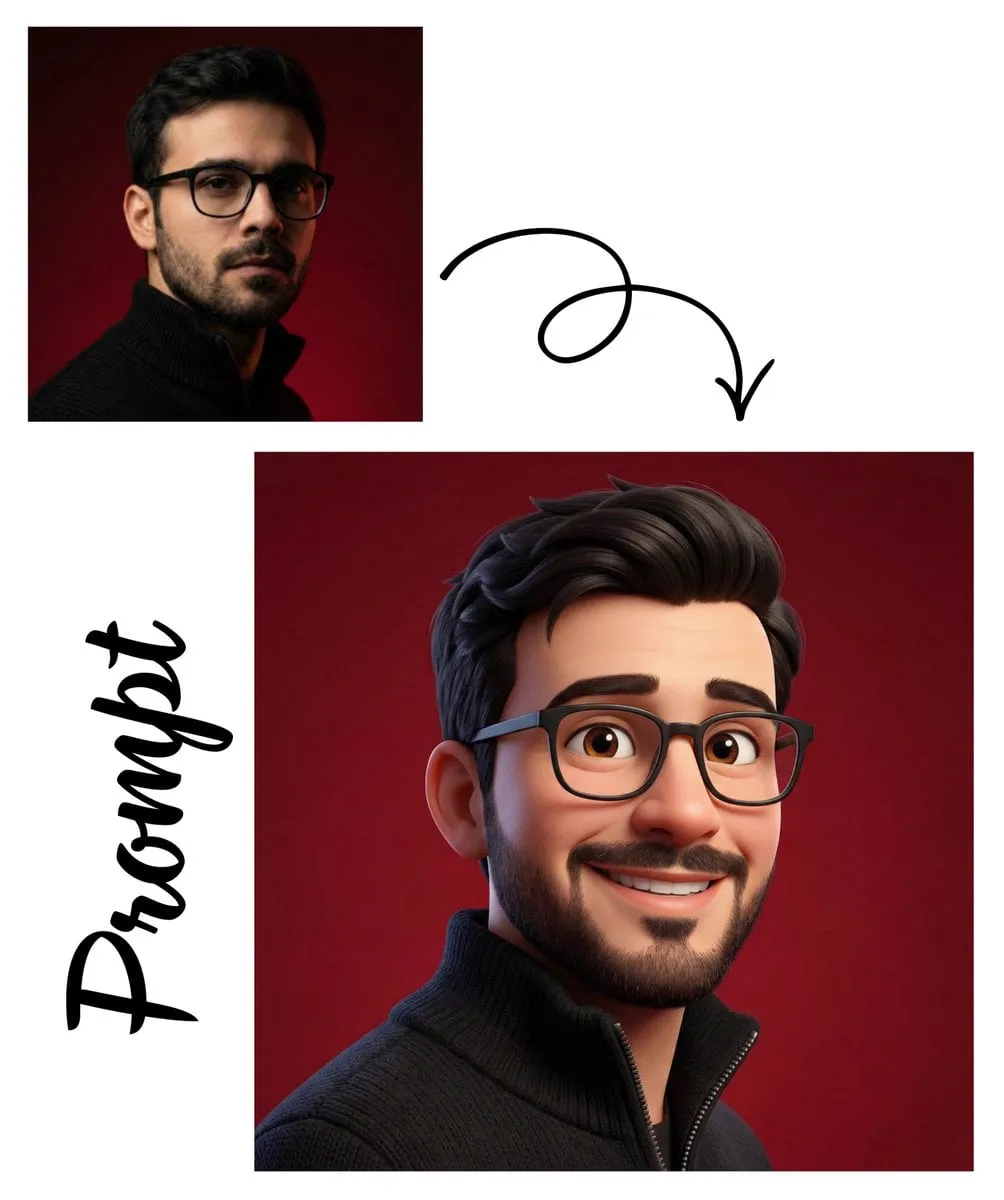

A watermark on an AI-generated video can stop a creator in their tracks. You produce something you like, and the tool stamps a logo across the corner, making it useless for clean delivery, unless you pay for a plan. The good news is that you do not have to pay to get watermark-free results. Several free AI avatar video generators offer clean exports, and with the right workflow you can produce professional-looking avatar videos at zero cost. This guide walks through exactly how, covering the tools, the legal realities, and the techniques for keeping your avatars consistent and usable.
What watermark-free really means in practice
Before choosing a tool, it helps to be precise about what "watermark-free" means. Some platforms simply do not add a watermark on any free export. Others mark all free exports and remove the mark only on paid plans. A third group uses a watermark on the preview but delivers a clean file on the final render.
The distinction matters because it changes whether the free path is viable for your project. If your goal is a clean, deliverable video, you want a platform whose free tier exports without a mark. Verify this before investing time in learning a tool that will force an upgrade later. Read the tool's terms and test a real export to be sure.
What to check in any free tool
- Does the free export include a visible or audible watermark?
- Are there resolution or duration limits on free exports?
- Are the generated videos usable for commercial purposes for free?
- Is there a cap on the number of generations per day?
Being thorough here avoids surprises. A beautiful tool that locks clean exports behind a paywall is not actually free for your use case.
The legal side of free creativity
Free does not mean unlimited permission. Even when a tool does not charge money, you are agreeing to its terms, and those terms define what you can do with the output. Understanding them protects you from future problems, especially if you plan to use the videos in a professional context or on a monetized channel.
Common considerations include commercial-use permissions, rights to the avatar likeness and whether you can edit and re-distribute the output. Some tools require attribution, while others grant broad rights. Check how the generated avatar can reflect real people or public figures, as some platforms have restrictions there.
Keeping your workflow compliant
- Read the terms of use for each tool you adopt.
- Confirm commercial use and redistribution rights.
- Respect any attribution or reporting requirements.
- Keep a record of what you generated with which tool.
This diligence costs minutes and saves you from having a deliverable you cannot actually use.
Building a clean production setup at no cost
A zero-cost avatar video setup has two parts: a tool that exports without a watermark and a repeatable method. Start with a single reliable platform you can use for free, learn its prompting, then expand to a small set of tools for flexibility.
The avatar you create becomes your branded asset. Consistency matters, because a recognizable presenter builds audience trust. You can achieve this with prompts that fix the character and the setting, and by reusing the same reference across projects. Store the prompts and settings you like so you can reproduce your avatar reliably in the future.
Setting up free and clean
- Choose a free tool with clean exports for your format.
- Define your consistent avatar character and setting.
- Build a library of prompts for repeating the same look.
- Test exports to confirm no mark or restriction.
- Establish a simple pipeline from prompt to final video.
Techniques for consistent, watermark-free avatars
Getting a consistent avatar on a free tier calls for a few smart techniques that do not need expensive features. Image-to-video flows let you start from a still image of your character and give the model a strong anchor to follow. Multi-image referencing across versions of the same character keeps identity stable across several clips.
Cost-effective models, which are typically what a free tier offers, work well for frequent generation when you know how to prompt them. Keeping generations short and focused, and assembling longer pieces in an editor, stretches your free allowance and maintains a clean pipeline.
Prompting for clean results
- Describe your avatar in specific, repeatable terms.
- Anchor the camera and the setting for consistency.
- Keep actions simple for stable motion on budget models.
- Iterate on your best prompts rather than starting fresh.
From free generation to the final edit
Free export frequently gives you individual clips, which is exactly what you want. Assemble the final video in a simple editor where you can trim, combine, add a title, captions and a bit of music. This keeps the workflow clean and gives you full control without relying on the platform's paid features.
Before exporting, check the delivery format your platform needs, in terms of resolution, aspect ratio and length. A short attention-grabbing piece, a talking-head segment and a longer full video each have different ideal setups. Adjust your generation and editing to match.
A practical assembly checklist
- Trim each generated clip to its best take.
- Keep a consistent order and rhythm across clips.
- Add captions for viewers watching without sound.
- Balance any background music so it never buries the voice.
- Export at the resolution and ratio your channel expects.
Preparing for professional use and monetization
Free tools can absolutely power a professional side hustle once your workflow is clean and compliant. The main difference from commercial tools is the allowance of generations and the care you must take with rights. With that care, watermark-free avatar videos can be used for client work, training material, social content and channels that you monetize.
If your ambition grows, the same workflow you built for free scales up. You keep your prompts, avatar references and editing pipeline, and you only add paid tools when volume or feature demands justify the cost. This staged approach means you never pay before you have validated the demand.
Turning free work into income
- Package your avatar videos for a specific niche or format.
- Build a small portfolio of clean, consistent samples.
- Offer clear deliverables with defined scope.
- Keep the same quality bar regardless of tool.
Common pitfalls to avoid on the free path
One common mistake is ignoring the watermark policy and discovering too late that your entire project must be redone on a paid plan. Another is using a tool without checking commercial rights, then landing a client job you cannot legally deliver. A third is chasing many tools at once instead of mastering one and building consistency.
Finally, avoid letting free allowances push you toward an inconsistent look. Speed is tempting, but a recognizable, on-brand avatar is worth far more than a pile of mismatched clips. Prioritize a small, consistent library over maximum free output.
Advanced tips for squeezing more from free tools
Free allowances reward discipline. A few advanced habits help you get more usable output from every free generation you spend. One is perfecting your prompts before committing to a render, since a well-aimed prompt rarely needs a second try. Another is reusing winning prompts and reference settings so you are not paying the cost of experimentation over and over.
A third habit is planning the whole video before generating. When you know exactly what each clip should achieve, you generate deliberately rather than wastefully. And by keeping your avatar consistent, you avoid regenerating pieces that do not match the rest of the project. Each of these saves a meaningful slice of your allowance.
Habits that stretch a free allowance
- Refine prompts on cheaper previews before final renders.
- Save and reuse every prompt that works.
- Plan the full shot list before generating anything.
- Keep references identical across the clip set.
- Assemble longer pieces in an editor from shorter clips.
Solving common problems on the free path
Clean free production comes with a few predictable hurdles, and they are easier to get past when you know they are coming. The most annoying is running out of daily generations, which a steady rhythm of fewer, better shots avoids. Another is inconsistent avatar identity across clips, which you solve with strong references, not by regenerating randomly.
Some free tools also cap resolution or restrict certain styles, so pick a platform whose limits match your format. And you may occasionally hit a produced clip with a small visual flaw that would be expensive to fix in the source; a light edit can often correct it downstream. Recognising these patterns keeps small problems from becoming blockers.
Common issues and quick fixes
- Low allowance: generate fewer, higher-quality shots.
- Inconsistent identity: reinforce references and prompt reuse.
- Resolution caps: choose a tool that supports your format.
- Minor flaws: fix gently in the editor rather than regenerating.
- Delivery mismatch: generate in the aspect ratio your channel needs.
When it makes sense to upgrade to paid
The free path can carry you far, but there comes a point where paying is the rational move rather than a defeat. If you are routinely hitting the allowance cap while converting output into income, the lost potential revenue justifies a plan. Larger or higher-resolution output, faster rendering and specific models are also common reasons to move beyond the free tier.
The rule is to upgrade only when the numbers support it. If a paid plan pays for itself in time saved or revenue unlocked, it is an investment, not an expense. Until then, the free workflow you have built is a genuinely valuable asset that costs you nothing to maintain.
Signs that upgrading is justified
- You hit free limits regularly while producing paid work.
- Your format requires output the free tier cannot deliver.
- Faster rendering would clear a meaningful production bottleneck.
- A specific model or feature only exists on a paid plan.
Building a matching brand identity with avatars
A free avatar workflow becomes far more powerful when your presenters feel like a real brand. Consistency in who says what, how they look and how they speak trains your audience to recognise and trust them. On the free path, that consistency is achieved through disciplined prompting and reference reuse rather than expensive features.
Decide early on the personality of your avatar and stick to it. Define its tone, its setting and the kinds of topics it covers. Use the same look and voice across every update so your channel builds a single, recognizable identity. Over time that identity becomes the real asset, independent of the tools you use to produce it.
Elements of a recognizable avatar brand
- A fixed appearance and on-screen setting.
- A consistent tone of voice and vocabulary.
- A stable visual style for overlays and captions.
- A repeating opening or signature element.
Frequently asked questions
Are all free avatar video generators truly watermark-free? No. Many add watermarks or have other limits on the free tier. Check each tool's policy and test a real export before relying on it.
Can I use watermark-free avatar videos commercially? Only if the tool's terms allow it. Verify commercial-use and redistribution rights and keep a record of your compliance.
How do I keep the avatar looking the same across videos? Use image-to-video anchors, reusable prompts and consistent references. A small library of prompts and settings is your key to uniformity.
What if my free allowance runs out? Distribute generation over time and keep clips short. Assembling in an editor stretches your allowance and keeps quality high.
Do I need to pay eventually to grow? Not necessarily. You can grow by refining your prompts and pipeline. Add paid tools only when your volume or feature needs justify the cost.
A clean, professional avatar video does not require a paid subscription. With a carefully chosen free tool, a consistent character model and a repeatable production flow, you can generate watermark-free videos indefinitely at zero cost. The discipline is in the process, not the wallet, and the skills you build today scale with your ambitions.
