
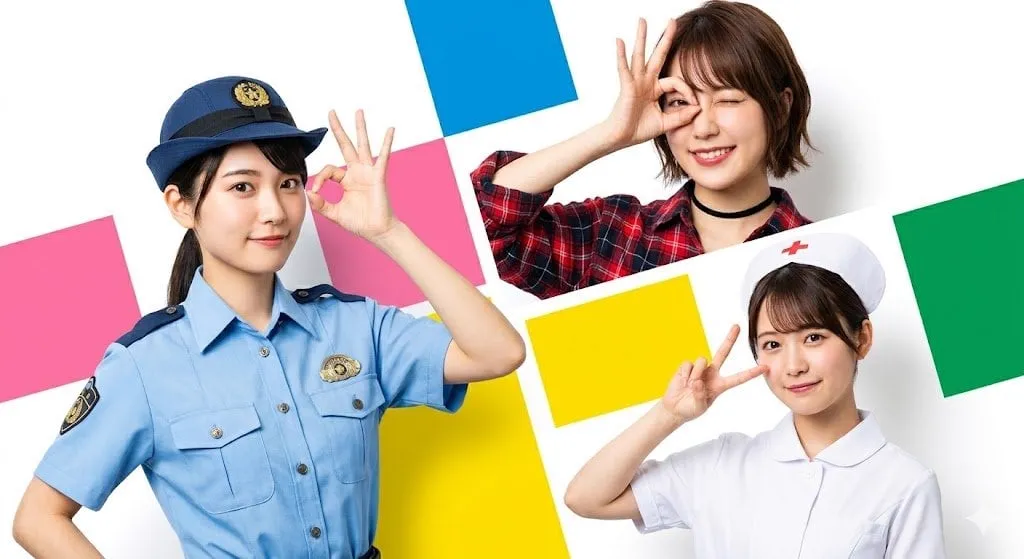
![Input Variable: [INSERT PODCAST NAME] System Instruction: Act as a Media...](https://storage.brightvectorlabs.com/prompts/bright/illustration-and-3d/2011776378556064255-0.webp)
![Create a 9-image Instagram feed for this product in [the same aesthetic]. Use...](https://storage.brightvectorlabs.com/prompts/bright/product-and-brand/2027122256426521040-0.webp)

The generative AI video boom solved a big problem — anyone can create moving images from a text prompt. Then it created a new one: keeping the same character consistent across multiple shots, scenes, and frames. A character's face changes between cuts, their clothes mutate, their hair shifts. For narrative content, this is fatal. Multi-image fusion is the technique that fixes it, and it has become one of the most important tools in serious AI video production. This article explains how it works, why it matters, and how to use it in professional workflows.
The Consistency Problem Nobody Expected
When text-to-video first became widely available, the wow factor hid a serious flaw. A model could generate a beautiful single shot, but when asked to produce the same character in a different scene, it created a different person. The face geometry shifted, the outfit changed, the lighting contradicted the previous shot.
This is not a minor technical annoyance. Narrative content — a series, a brand film, an animated story — depends on the audience believing a character is the same person from scene to scene. The moment the protagonist's face changes, the illusion collapses. Early AI projects dealt with this by keeping videos extremely short or by avoiding close-ups entirely. Neither is acceptable for real production.
The industry response was a class of techniques called multi-image fusion: feeding a model several reference images of the same subject and forcing it to extract a stable identity from them, then applying that identity across all generated frames.
How Multi-Image Fusion Works
Multi-image fusion is not magic; it is a structured process with clear steps. Understanding each step helps you use the technique correctly.
Step 1: Gather a Reference Set
The process starts with multiple images of the subject. For a person, that means different angles, expressions, and lighting conditions. For a product, different views and contexts. The reference set is the raw material the system uses to build a character profile.
Step 2: Extract Distinguishing Features
Each reference image goes through a feature extraction process. The system analyzes the visual characteristics that define the subject: face geometry, skin tone, hair, signature clothing, proportions. It compares the images and separates what is stable from what varies with angle and lighting.
Step 3: Build a Unified Vector Representation
The stable features are combined into a single mathematical representation — a vector that describes the character's identity in a compact, reusable form. This vector is the character sheet of the AI era: it captures who the character is, independent of any single image.
Step 4: Apply Across Generation
When you generate a new scene, the model uses the unified vector as a constraint. Every frame must match the character profile rather than inventing a fresh appearance. This is what holds the face, the outfit, and the overall look steady across the entire video.
Step 5: Verify and Refine
Finally, you review the output as a sequence, not frame by frame. If drift appears, you add references or adjust the extraction. The loop — generate, review, refine — is the same one professionals use with any creative tool.
Why the Unified Vector Is the Key
The clever part of multi-image fusion is the unified vector. A single reference image carries only one view of the character; ask the model to match it and you lock in that specific pose and lighting. The unified vector, built from many images, captures the character's identity rather than a single instance of it.
This distinction explains why multi-image fusion outperforms simple reference-image prompting. Reference-image prompting says "look like this picture." Multi-image fusion says "be this character, in any pose, in any light, in any scene." The second is what narrative production actually needs.
It also explains why the technique works across different generation models. The unified vector is a model-agnostic description of identity. Once built, it can constrain any compatible generator, which means a character sheet created once can drive scenes produced with different tools.
Working Across a Variety of Models
One of the most useful properties of multi-image fusion is portability. Different video models have different strengths — some excel at photorealism, others at animation, others at stylized motion. In a mixed workflow, you want the same character to appear consistently regardless of which model generates the shot.
The unified vector makes this possible. Build the character profile once, then reference it across whatever tool you use for each scene. The action scene, the dialogue scene, and the establishing shot can come from different generators and still feature the same person.
In practice, this means the model interoperability question matters less than it first appears. You are not choosing one model and living with its limitations. You are building a pipeline where each shot goes to its best tool and the character sheet keeps everything consistent.
Pairing Fusion with a Director-Style Workflow
Multi-image fusion handles the identity layer, but it works even better when combined with direction — the layer that decides what the shots are. A director-style workflow starts with a script and a shot list, then handles each shot's composition, camera movement, and pacing.
This pairing is natural: the fusion technique guarantees the character looks right, and the direction guarantees the story lands. Without direction, you get consistent characters doing nothing much. Without fusion, you get well-directed scenes starring a different person every time.
For teams, this creates a clean division of labor: the director plans the narrative and the shots, the character profile enforces visual identity, and the generation models execute each scene. Each layer is simple on its own, and together they produce results that feel intentional.
Professional Use Cases
Multi-image fusion earns its keep in the settings where consistency is non-negotiable.
Long-Form Marketing Content
Brand campaigns with a recurring character or presenter need the same face across every video in the series. The character profile becomes a reusable brand asset, so every new campaign starts from a consistent identity instead of starting over.
Cinematic Animation and Storytelling
Animated films and story content depend on the audience connecting with a character over time. The fusion technique keeps the protagonist recognizable across every scene, which is the foundation of any emotional arc.
Quality Assurance and Review
For production teams, the technique changes how review works. Instead of checking every frame for face drift, reviewers verify that the profile was applied correctly, then check the sequence for pacing and storytelling. The tedious part of QA disappears, and the creative part gets more attention.
Community and Market Assets
Creators building recurring characters for an audience — a mascot, a host, a series lead — can lock the design once and generate unlimited content with the same identity. The character becomes a property, not a one-off generation.
Common Failure Modes and Fixes
Multi-image fusion is powerful, but it fails predictably when used carelessly. The most common problems are all avoidable.
Under-Specified References
One or two images are not enough to build a stable identity, especially for characters with complex costumes or distinctive features. Use a proper reference set with multiple angles and expressions. When in doubt, add more images.
Over-Fusion
Blending too many unrelated references produces a generic face that looks like none of them. Keep the reference set focused on the same subject, and resist the urge to fuse different characters into one profile.
Skipping Sequence Review
A profile that looks perfect on one frame can fail across a sequence. Always review the output as a video, in context, before committing to a full render.
Ignoring Lighting and Angle Variety
References that all share one lighting setup or one angle produce a profile that cannot adapt. Include variety so the character stays recognizable in new conditions.
Fusion in a Real Production Timeline
To see how multi-image fusion behaves under production pressure, walk through a realistic week of work for a small studio making a three-episode branded series.
Day one is the reference shoot. The team photographs the lead character in multiple angles and expressions, plus the costume variations that appear across the episodes. These references are organized into a folder per character — the raw material for every profile that follows. Day two is profile building. The references are fed into the fusion pipeline, and the team reviews the extracted identity across a few test frames, adding references where the profile drifts. Day three is the shot list: the director breaks the scripts into scenes and assigns each scene the model best suited to its look. Day four is generation, with every shot constrained by the character profiles. Day five is review and revision: the team watches the rough cut as a sequence, regenerates the failing shots, and ships.
The reason this works is that the profile was built once and reused everywhere. The team never renegotiates the character's face per scene; they verify the profile once and let it do its job. The production timeline compresses because the hard consistency problem was solved at the start, not rediscovered in every render.
Comparing Fusion With Other Consistency Methods
Multi-image fusion is not the only way to attack character consistency, and knowing the alternatives helps you pick the right one for the job.
The simplest alternative is single-reference prompting: upload one image and ask the model to match it. It works for short clips and loose styles, but it locks the character to one pose and lighting, so it breaks the moment the scene changes. Text-only character descriptions are even weaker; they rely on the model interpreting prose consistently, which it rarely does.
At the other end of the spectrum are training-based approaches, which fine-tune a model on a specific character. These produce excellent fidelity but are heavier: they require more setup, more compute, and a new training run for every character. For high-budget productions with long schedules, that investment can be justified. For fast-turnaround content, it is usually overkill.
Multi-image fusion sits in the productive middle: cheaper than training, stronger than single-image prompting, and portable across models. It is the right default for most production teams, and the heavier options remain available when the project demands them.
Getting Started With a Small Test
The fastest way to learn multi-image fusion is a controlled test with a familiar subject. Use a character or product you know well, gather three to five references, and generate a two-scene clip where the subject moves between environments. Watch how the identity holds.
The test answers three questions. Does the face stay recognizable across scenes? Do the details — costume, hair, accessories — survive the transition? And how much manual correction does the output need? If the identity holds with no fixes, your reference set is solid. If it drifts, the test shows you exactly which references to improve before you scale up to a real project.
Frequently Asked Questions
How many reference images do I need?
For most characters, three to five well-chosen references work well. Complex designs — costumes, makeup, distinctive accessories — benefit from more. The goal is coverage of angles, expressions, and lighting, not raw quantity.
Can I build a character profile from generated images instead of photos?
Yes. Many teams generate a character sheet first, then use those generated images as the reference set. The technique does not care whether the source images are real or generated, only that they consistently show the same subject.
Does multi-image fusion work with any video model?
Compatibility varies by tool. The unified vector approach is designed to be portable, but each platform implements it differently. Check the documentation and test with a short clip before committing to a full project.
How is this different from uploading one reference photo?
A single reference photo locks the model to one specific view. Multi-image fusion builds an identity from many views, so the character holds up across poses, scenes, and lighting conditions. That is the difference between a prompt trick and a production technique.
Is multi-image fusion hard to learn?
The concept is simple, and the tools hide most of the complexity. The learning curve is in the craft: building good reference sets, reviewing output as a sequence, and refining profiles when drift appears. Like any creative skill, it improves with practice.
