
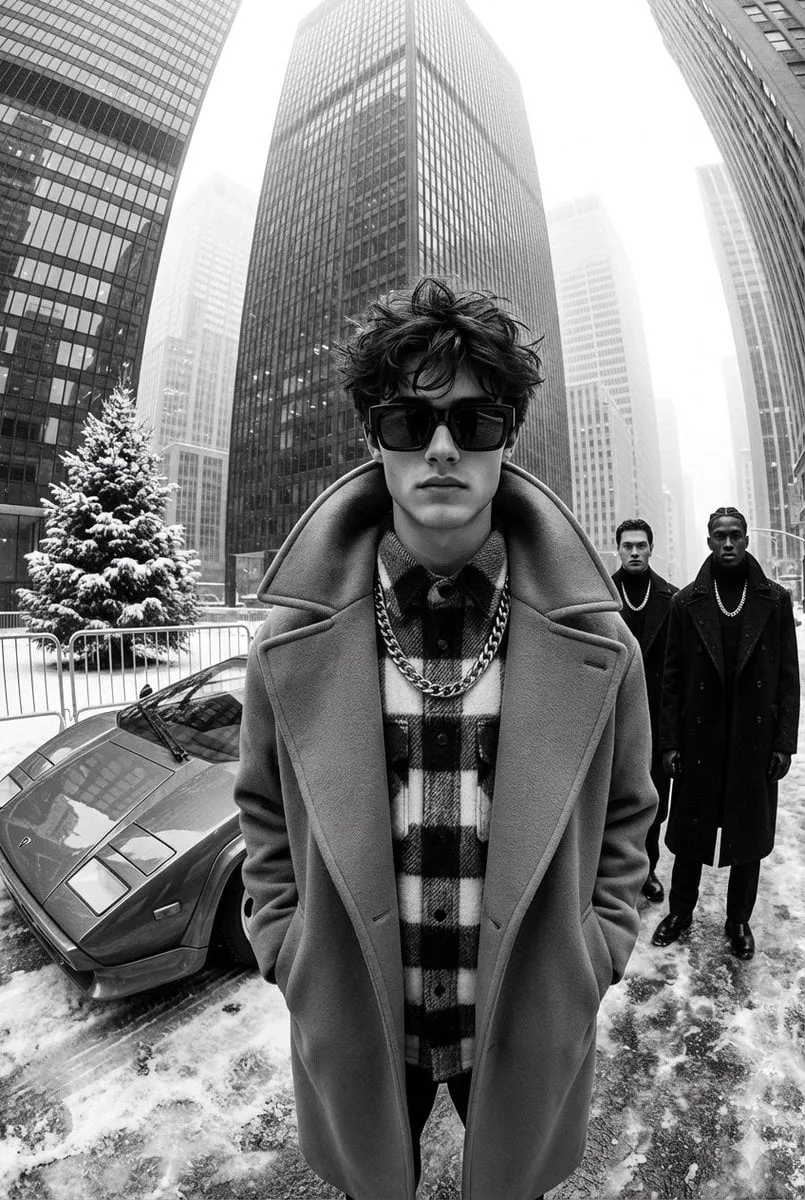
The most underrated ingredient in AI video is not a flashy model but the humble still image. A single well-crafted reference photograph can anchor an entire video, holding a character's identity, a brand's palette, and a mood that text alone cannot carry. The concept explored in this article, widely described as the "Pixel Lego" approach, treats still images as the building blocks that glues together the best of modern video generation. It is a way of thinking about video as assembled from controlled visual components rather than invented from nothing.
This guide breaks down that approach: how stills are analyzed and turned into master keyframes, how they integrate across multiple generation models, and why consistency -- not raw realism -- has become the true goal of professional AI video. Along the way you will get a practical workflow and the criteria to judge whether this method fits your projects.
Why Stills Are the New Hero
Text-to-video was the wow moment: type a sentence, get moving footage. But the novelty wore off when creators hit the same wall again and again. Starting from text alone makes it nearly impossible to keep a character looking the same across different scenes. Every new shot re-imagines the subject from scratch, and the results drift toward inconsistency.
Still images solve that wall directly. They give the generator a concrete, stable reference to hold onto. Instead of describing a character in words that a model interprets differently every time, you point at a picture. What text-to-video struggles to achieve, image-anchored video achieves reliably.
The distinction that matters
The shift here is subtle but fundamental. The goal is no longer maximum photorealism as a party trick; it is control. Creators today need to steer where the camera goes, what the character wears, and how the scene feels. Stills are the control surface that makes generativity useful instead of chaotic.
The Architecture Behind Assembly
At the heart of this approach is a consistent data structure extracted from reference images. Before generating, the system analyzes the still -- pose, proportions, silhouette, texture, palette -- and converts it into a reusable description. That structured description becomes a high-quality input that any video model can consume, no matter how different the target scene is.
This is what turns stills into "Lego bricks": each brick is same building block, but it can be combined with different scenes, motions, and styles. One master keyframe can seed dozens of distinct videos that all share the same identity.
Transforming stills into master keyframes
The process is more intelligent than simply copying a photo into a video. The system understands what is essential about the subject -- the parts that must not change -- and what can flex, such as pose and expression. It then encodes the immutable identity as a keyframe the model can build motion around while keeping the character recognizable.
Integrating Across Leading Models
A single still approach only pays off if it works across the many models a serious creator might use. The value of treating images as a universal input is portability: the same reference can drive premium engines, cost-efficient engines, and specialized style engines all at once.
- Premium engines use the reference to add cinematic quality while keeping identity stable.
- Cost-efficient engines use it to reach acceptable quality fast and cheap for iteration.
- Style specialists use it to translate your character into new aesthetics without losing recognition.
This flexibility is why image-anchored workflows are so appealing: you are not locked into one model. Your visual intellectual property -- the character, the product, the look -- travels with you across the whole ecosystem.
Consistency as the Key to Cinematic Storytelling
Once a character can be held stable, a new kind of storytelling opens up. The repeated appearance of a consistent character across scenes is the backbone of cinematic narrative. Watching a protagonist move through a story with the same face, outfit, and manner conveys a sense that the events are connected -- that the story is real.
In commercial and branded work, the same logic applies to products and mascots. A product that looks identical across every shot builds trust and recognition, which is precisely what advertising needs. Without consistency, even gorgeous footage fails to land as a coherent brand message.
From character to world
The principle extends beyond a single character to the whole visual world. Reusing environmental references keeps backgrounds, props, and lighting styles coherent across a series, so episodes feel like they share one universe. This elevates serialized content from a collection of clips to a believable, repeatable setting.
Managing a Big Model Library Effectively
With so many models available, the practical challenge becomes orchestration rather than generation. Image-anchored workflows are exactly the tool for this.
Leverage a premium library without losing your look
A large model library is valuable only if you can move between engines and still get consistent output. Anchoring every generation to the same references means you can confidently switch models to chase a better price or a specific effect, confident the identity will hold.
Orchestrate complex pipelines with a director and queue
Complex, multi-clip projects benefit from an orchestration layer. An automated director decomposes the work into scenes, assigns appropriate models, and keeps references applied throughout. A task queue runs many generations in parallel, so a whole series renders together rather than one clip at a time. The combination turns a bundle of stills into a finished, consistent video faster than linear workflows.
Refine style with image-to-video and video-to-video
The same image-first philosophy powers style refinement. Image-to-video turns a reference into motion; video-to-video restyles existing footage through a new aesthetic while preserving structure. Both lean on the same stable references, giving you a full kit for variation without sacrificing identity.
A Practical Workflow
- Curate your stills. Collect or create reference images that clearly capture silhouette, palette, and identity.
- Extract the keyframe. Let the system build a stable, reusable input from the still.
- Lock the identity. Use the same reference across every scene and model you touch.
- Run parallel generations. Batch scenes through a queue with a director orchestrating.
- Refine the style. Use image-to-video and video-to-video passes to tune the look.
- Review consistency. Check that identity holds across scenes before finalizing.
Common Pitfalls and How to Avoid Them
- Weak reference material. Blurry or inconsistent stills produce unstable output. Start with clean, deliberate references.
- Changing references mid-series. Switching keyframes breaks identity. Commit to the same brick.
- Overloading a scene. Too many simultaneous changes overwhelm cohesion. Change one variable at a time.
- Ignoring orchestration. Generating clip by clip wastes effort. Batch and orchestrate.
- Chasing realism over purpose. Photorealism without control is spectacle, not storytelling. Design with intent.
Frequently Asked Questions
Do I need professional-photography references?
No, but clean, well-lit, high-contrast stills produce far more stable results than haphazard shots.
Can I reuse one image for many videos?
Yes, that is the entire point. A single master keyframe can seed many distinct, identity-consistent videos.
Does this work across different AI models?
Yes, and that is the strength: references are portable, so you can switch engines without losing your look.
Is consistency worth losing spontaneity?
The method trades a little randomness for control, which is exactly what professional and serialized content requires.
Where does this fit a small team?
It is ideal for small teams, because orchestration and reference reuse let few people produce a large, consistent body of work.
Final Thoughts
The still image is the quiet cornerstone of controlled AI video. By treating references as reusable building blocks -- the "Lego" of visual storytelling -- creators escape the drift and chaos of text-only generation and finally get control over identity, style, and world. Whether you are building a recurring character, a consistent brand, or a believable universe, anchoring your video in carefully chosen stills is the most reliable path from a bundle of ideas to a finished, coherent story.
Choosing the Right References for Reliable Output
The quality of your assembled video is bounded by the quality of your references. A clean, well-lit, high-contrast still with a clear silhouette and an unambiguous color story produces dramatically more stable results than a blurry snapshot. Spend real effort on the reference material, because every weakness there will be amplified across every scene it anchors.
For characters, prefer references that show the full silhouette and the key textural details the audience should notice. For products, choose a hero angle that clearly communicates form and finish. For a whole world, collect environment references that fix palette and lighting so every episode feels like the same place. When the references are strong, the video generation has something solid to build on; when they are weak, no amount of prompt craft fully compensates.
The role of a style sheet over time
As your library grows, keep a style sheet for each recurring subject: the winning references, the settings that worked, and the notes on how the identity was defined. This sheet is the working memory of your visual system. It lets you return weeks later, produce another consistent scene, and hand the work to other creators without re-deriving everything from scratch.
How Control-Based Workflows Fit Different Creator Types
The image-anchored approach is flexible enough to serve very different use cases. A solo creator gets reliability, so they can post consistently without fighting drift. A small studio gets a shared visual system, so several people can work in the same universe. An agency gets scale, producing a large body of on-brand work for a client without repeating the identity setup each time.
What all these creators share is a desire to spend less time fighting the tool and more time making creative decisions. Control-based workflows deliver exactly that: instead of re-explaining the subject in words for every shot, you point, reuse, and refine. The creative energy is spent on narrative, style, and pacing, where it belongs.
Balancing Control With a Little Healthy Randomness
There is a risk in over-management. If every variable is locked, output can become stiff and lifeless, missing the spontaneous energy that makes video feel alive. The useful balance is to lock the identity -- the parts that must not change -- and leave room for variation in everything else. A background can shift, an expression can relax, a camera move can improvise, as long as the subject stays recognizable and the palette stays on script.
Learn to identify which knobs are identity and which are style. Identity knobs stay fixed; style knobs are yours to turn freely. Creators who find this balance get the best of both worlds: reliable control and the ability to surprise, which is exactly the combination that sustains an audience's interest.
When Not to Use an Image-Anchored Approach
No workflow is universal. For quick experimental sketches where consistency does not matter, or for text-to-video ideation meant to spark inspiration, the heavier discipline of reference assembly may slow you down without adding value. Conversely, for anything serialized, branded, or narrative-heavy, skipping references almost always produces results that cannot be salvaged into a coherent whole. Part of proficiency is reading the context and choosing the lighter or heavier workflow accordingly.
The Long-Term Value of a Visual Development System
What starts as a technique for holding one character stable becomes, over time, a full visual development system. The references, style sheets, and control habits you build are assets that appreciate. Every new scene you produce contributes to a growing library of consistent visual identity, and that library is what allows a creator to move swiftly from idea to finished, on-brand output again and again. The goal of the whole practice is not a single impressive video but the repeatable ability to make coherent, controlled, professional work at will.
Committing the Approach to Your Daily Work
Whether you are a solo creator, a small studio, or an in-house team, the image-anchored method pays off when it becomes routine rather than a special technique. Institute a simple ritual: before any serialized or branded video, build the reference sheet first, lock identity, then generate. Keep the style sheets organized and current so the next episode starts from a strong foundation instead of a blank timeline.
Over many projects, these habits harden into a working method that is faster, more reliable, and far less stressful than the freeform approach. The still image stops being a supporting asset and becomes the strategic starting point of every coherent, controlled piece you produce. When that happens, the "tool" has become a way of working -- and that way of working is what makes professional AI video feel like professional storytelling.
