
Limited Time Sale: Get 40% OFF on Next-Gen AI Video Creation 🎉
Do this for Pineapple Pizza: <instruction> Input A: user uploads an image or…
G
Gadgetify@Gdgtify
45 1,583 12/24/2025
Model GPT Image 2
GPT Image 2Categories
Share:
Prompt
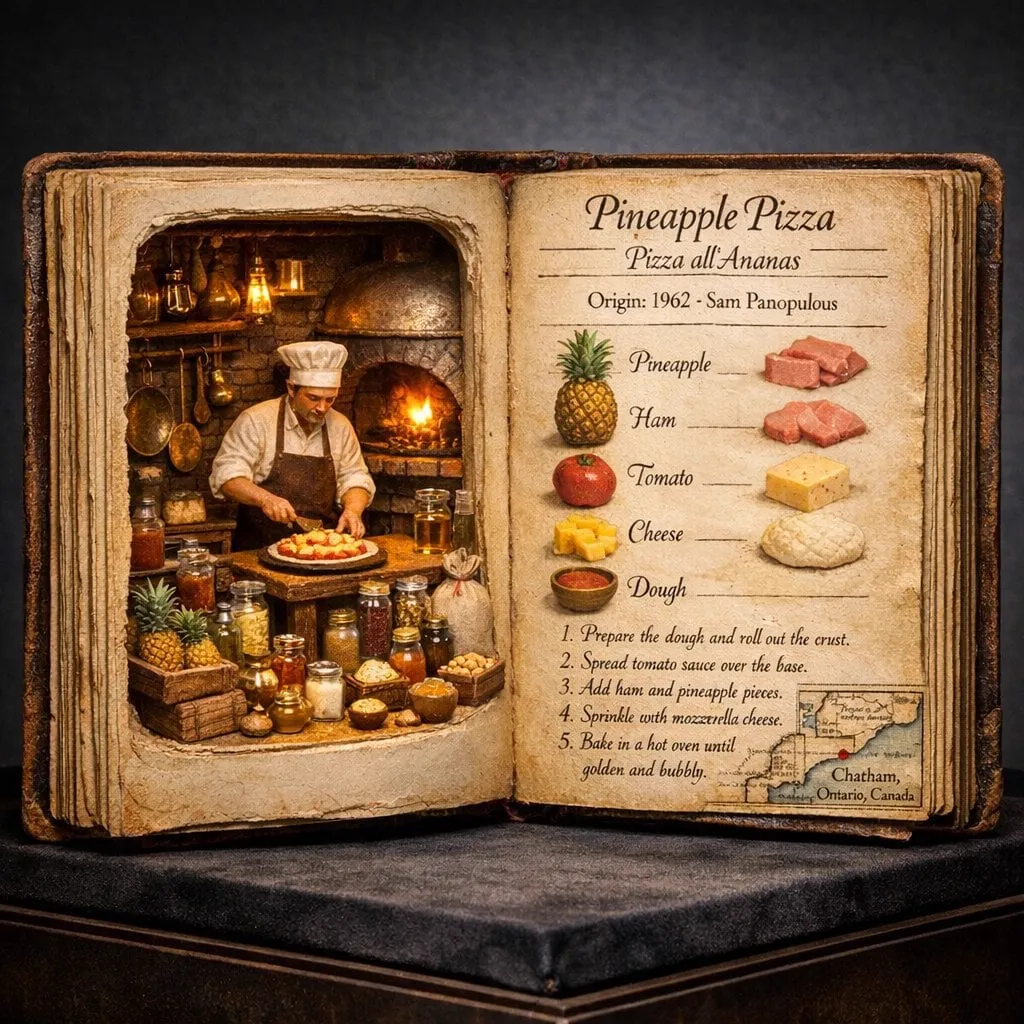
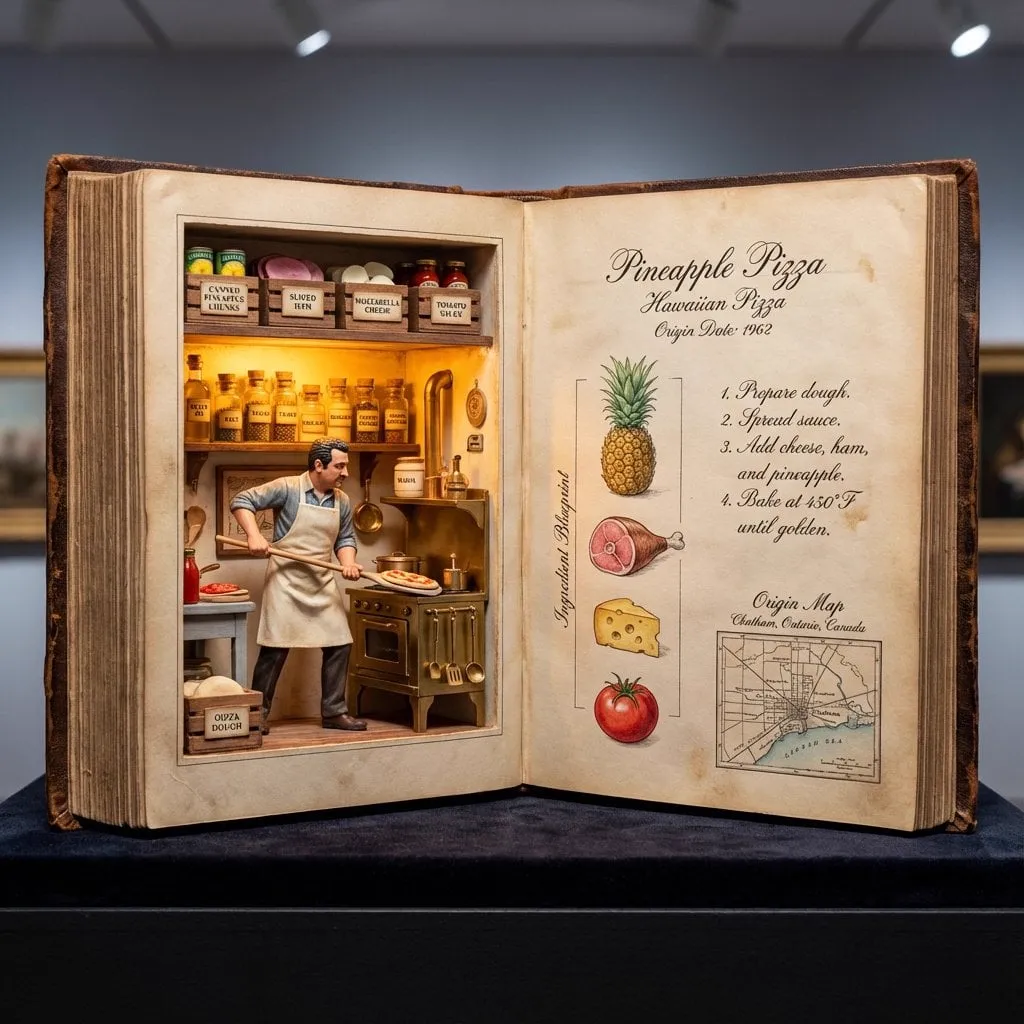
Do this for Pineapple Pizza: <instruction>
Input A: user uploads an image or shares name of dish

Logic  Identify the historical inventor (e.g., Raffaele Esposito or Henri Charpentier) and the exact year of origin.

Task: A hyper-realistic 4:5 macro photograph of an oversized, open antique culinary codex resting on a dark velvet museum plinth.

Left Page (The Living Diorama):
The left side of the book is hollowed out like a secret compartment. Inside is a breathtaking 3D miniature scene. A highly detailed figurine of the dish’s inventor is captured mid-motion in a period-accurate kitchen. Around them are microscopic versions of the 10-15 key ingredients, each in its own tiny hand-blown glass vial or micro-wooden crate. Include miniature brass cooking tools specific to the era. The scene is lit from within the "pages" by a warm, magical amber glow.

Right Page (The Technical Recipe):
The right page is flat, aged parchment featuring elegant, faded Spencerian calligraphy and hand-painted watercolor illustrations.
1. Top: The dish name in both English and its native language, with the bold "Origin Date."
2. Middle: A vertical "Ingredient Blueprint" with hyper-detailed sketches of each raw component.
3. Bottom: A small, detailed "Origin Map" showing the specific city of birth, styled like a 19th-century cartographic inset.
4. Text: Visible, legible recipe steps written in ink that looks slightly raised on the paper.

Style:
Museum specimen photography. 85mm macro lens. The lighting should be a mix of cool gallery spotlights and the warm "internal" glow of the book's diorama. Extreme texture on the weathered leather binding and the tooth of the paper.
Output: ONE image, 4:5 aspect ratio.
</instruction>
How to Use This Prompt
Get started in three simple steps.
1
Copy or Use
Copy the prompt text, or click Use this Prompt to open the generator with it pre-filled.
2
Adjust Settings
Tweak the aspect ratio, resolution, or any other settings to fit your project.
3
Generate & Share
Hit generate and share your creation once it's ready.
Related Prompts
![Hyper-realistic open [COUNTRY] passport on a studio surface, with gold-embossed…](https://storage.brightvectorlabs.com/prompts/bright/illustration-and-3d/2022606746343317544-0.webp)
![Create a technical infographic of [VEHICLE] with a 45-degree isometric 3D…](https://storage.brightvectorlabs.com/prompts/bright/illustration-and-3d/2048733383140712808-0.webp)

By Media Type


Create stunning images with this prompt
Open the generator and start creating in seconds